
Valheim world modifiers on a dedicated server
Every Valheim world modifier and preset, what each value really changes, and how to set them on a dedicated server with -preset and -modifier.
World modifiers change how hard a Valheim world is: combat, what you lose on death, resources, raids and portals, plus a few checkboxes. A dedicated server sets them with launch arguments and saves them into the world.
Setting them on a server
Add them to the server's start script, the preset first:
./valheim_server.x86_64 -name "My server" -world "Dedicated" \
  -password "secret" -preset hard -modifier raids none -setkey nomap
-preset <name>sets every modifier at once and clears the ones the world had before.-modifier <modifier> <value>changes one modifier; put it after the preset.-setkey <key>turns a checkbox on.- With none of these, the server keeps the modifiers saved in the world, such as the ones you chose when you created it in the game.
Names and values are lower case on the command line, as below. Restart the server to change them.
Presets
Normal
- Argument
-preset normal- Sets
- Every modifier at Normal, no checkboxes
The way Valheim is meant to be played, with the intended difficulty balance.
Casual
- Argument
-preset casual- Sets
- Combat: Very easy · Death penalty: Casual · Resource rate: More · Raid rate: None · Portals: Casual · Passive enemies · Player based raids
Combat is a lot easier, enemies will not attack you until provoked, and there are no raids on your base. Resources are more plentiful, and you will not drop items or lose skills on death.
Easy
- Argument
-preset easy- Sets
- Combat: Easy · Raid rate: Less
Combat is easier and there are fewer raids on your base.
Hard
- Argument
-preset hard- Sets
- Combat: Hard · Raid rate: More
Combat is harder and monsters will raid your base more often.
Hardcore
- Argument
-preset hardcore- Sets
- Combat: Very hard · Death penalty: Hardcore · Raid rate: More · Portals: Hard · No map
Combat is a lot harder and enemies will raid your base more often. When you die, all your skills and carried items are lost. You have no map and may not use portals or exit boss dungeons while a boss is alive.
Immersive
- Argument
-preset immersive- Sets
- Portals: Very hard · No map · Fire hazards: wood can catch fire anywhere, not just in the Ashlands
No map, and you may not use portals. You need your own wits to keep track of where you are in the world.
Hammer Mode
- Argument
-preset hammer- Sets
- No build cost · Passive enemies · Raid rate: None
Build every piece for free once you have discovered the recipe. No raids, and enemies will not attack you until provoked.
Modifiers
Combat
Governs how much damage you give and take. Also governs how likely you are to encounter higher leveled enemies, and how dangerous they are.
- Very easy: You deal 125% damage and take 50%; enemies are 90% as fast and large.
-modifier combat veryeasy - Easy: You deal 110% damage and take 75%; enemies are 95% as fast and large.
-modifier combat easy - Normal: The default.
- Hard: You deal 85% damage and take 150%; enemies are 110% as fast and large and level up 120% as often.
-modifier combat hard - Very hard: You deal 70% damage and take 200%; enemies are 120% as fast and large and level up 140% as often.
-modifier combat veryhard
Death penalty
Governs what happens when you die.
- Casual: You keep your equipped gear, and skills drop at 15% of the normal rate.
-modifier deathpenalty casual - Very easy: You drop all items, and skills drop at 15% of the normal rate.
-modifier deathpenalty veryeasy - Easy: You drop all items, and skills drop at 50% of the normal rate.
-modifier deathpenalty easy - Normal: The default: you drop all items, and skills drop normally.
- Hard: Equipped items are dropped, the rest of your inventory is lost, and skills drop at 150% of the normal rate.
-modifier deathpenalty hard - Hardcore: Everything you carry and all your skills are lost.
-modifier deathpenalty hardcore
Resource rate
Governs the amount of resources you gain from the world and from enemies.
- Much less: Half the resources (0.5×).
-modifier resources muchless - Less: Three quarters of the resources (0.75×).
-modifier resources less - Normal: The default.
- More: One and a half times the resources (1.5×).
-modifier resources more - Much more: Twice the resources (2×).
-modifier resources muchmore - Most: Three times the resources (3×).
-modifier resources most
Raid rate
Governs how often enemies may raid your base.
- None: No raids (event rate 0).
-modifier raids none - Much less: Far fewer raids (event rate 200).
-modifier raids muchless - Less: Fewer raids (event rate 150).
-modifier raids less - Normal: The default (event rate 100).
- More: More raids (event rate 60).
-modifier raids more - Much more: Far more raids (event rate 30).
-modifier raids muchmore
Portals
Changes how portals work in the game.
- Casual: Portal items: you can bring all items through portals, metals included.
-modifier portals casual - Normal: The default: some items, such as metals, cannot go through.
- Hard: No boss portals: no portals or leaving a boss dungeon while its boss is active.
-modifier portals hard - Very hard: No portals at all.
-modifier portals veryhard
Checkboxes
- No build cost (
-setkey nobuildcost): Build pieces require no materials to build. You still need to discover recipes as usual. - Player based raids (
-setkey playerevents): Raids are based on the progress of each player, rather than on which bosses have been killed on the server. - Passive enemies (
-setkey passivemobs): Enemies won't attack until you provoke them. - No map (
-setkey nomap): No map or minimap.
Pick them from a list
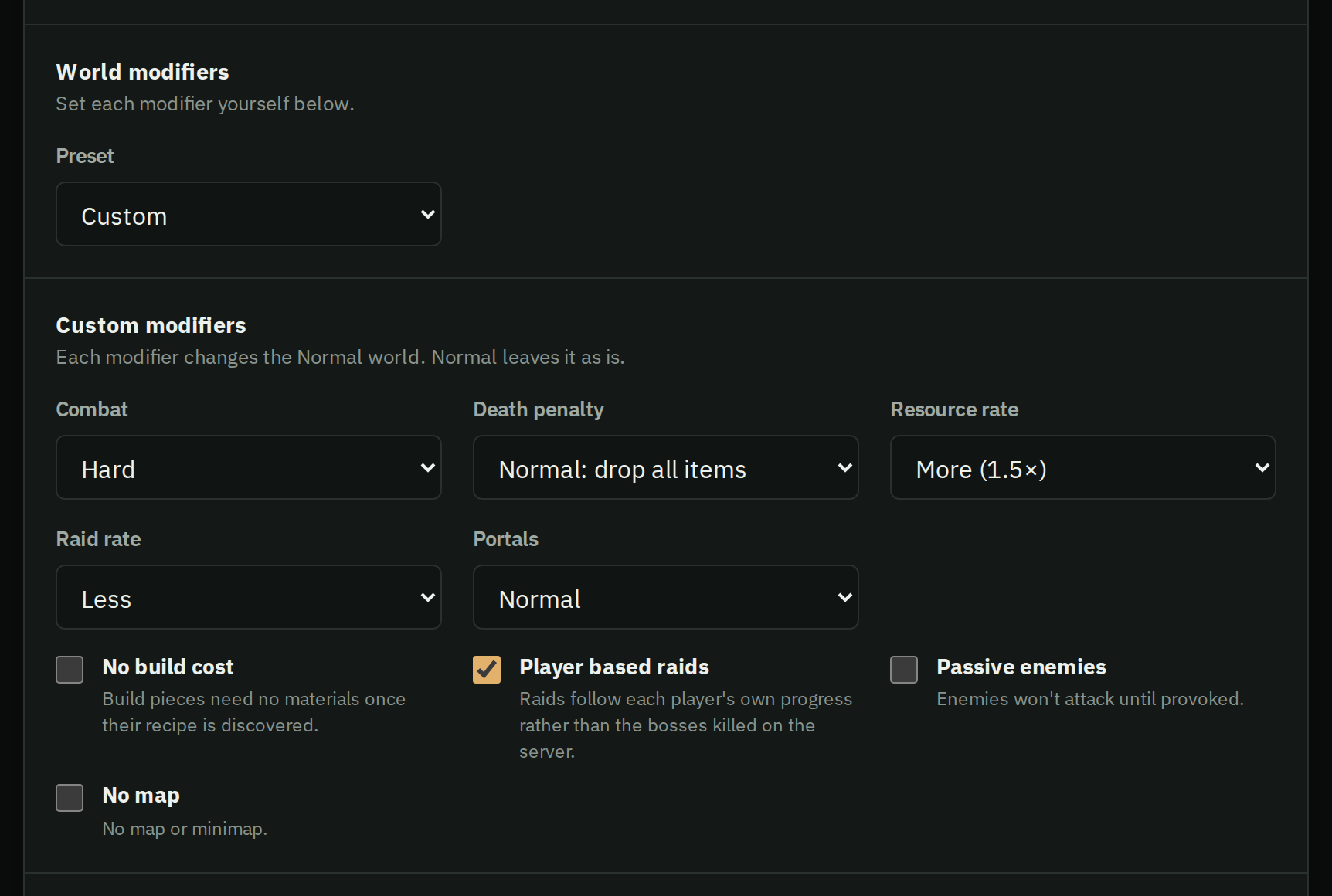
Your server's Settings tab offers every preset, or Custom to set each modifier and checkbox. HostForge passes them to the server at the next start. Brought a world from elsewhere? Choose As saved in the world to keep its own modifiers.
Moving a world with modifiers you want to keep? See moving your world to a server.