
Add Workshop mods to a Project Zomboid Build 42 server
Workshop IDs and Mod IDs are not the same. How to find both, fill in WorkshopItems= and Mods= on a Build 42 server, and handle map mods and load order.
A server needs two lists in its .ini file: the Workshop IDs to download and the Mod IDs to load. They are different values, and most broken modded servers mix them up.
Steps
- Get the Workshop ID: the number after
?id=in the mod's Steam Workshop address. - Get the Mod ID: usually listed as Mod ID: at the bottom of the Workshop description. If not, subscribe and open
steamapps\workshop\content\108600\<Workshop ID>\mods: theid=line of eachmod.infois a Mod ID. Some items hold several mods; pick the ones you want. - Stop the server.
- In
servertest.ini, add both, separated by semicolons:WorkshopItems=3619862853;3809306528 Mods=ZombieBuddy;Viewpoint - For a map mod, also add its map folder (under the mod's
media/maps) in front of the base map:Map=SomeMapFolder;Muldraugh, KY - Start the server. Players download the mods automatically when they join.
Build 42 compatibility
Build 42 only loads mods packaged for it, with their files in a 42 folder (mods/SomeMod/42/). Mods made only for Build 41 are skipped. Check for the Build 42 tag on the Workshop page.
Load order
Mods load in the order of Mods=. Put frameworks and libraries first, then the mods that need them (listed on the require= line of their mod.info), then patches. For example, ZombieBuddy before Project Viewpoint.
Troubleshooting
- Players can't join after a mod update: the server still has the old version. Restart it to download the update.
- A mod doesn't load: its Mod ID is missing from
Mods=, or it has no Build 42 version. - A map mod's area is missing: it is not in
Map=. In an existing world, new map areas only appear where nobody has been yet.
Search, click Add mod, restart
In your server's Mods tab, search the Workshop by name and select Add mod. HostForge downloads each item, finds its Mod IDs and writes WorkshopItems= and Mods= for you, in the order you add them. Changes apply at the next restart.
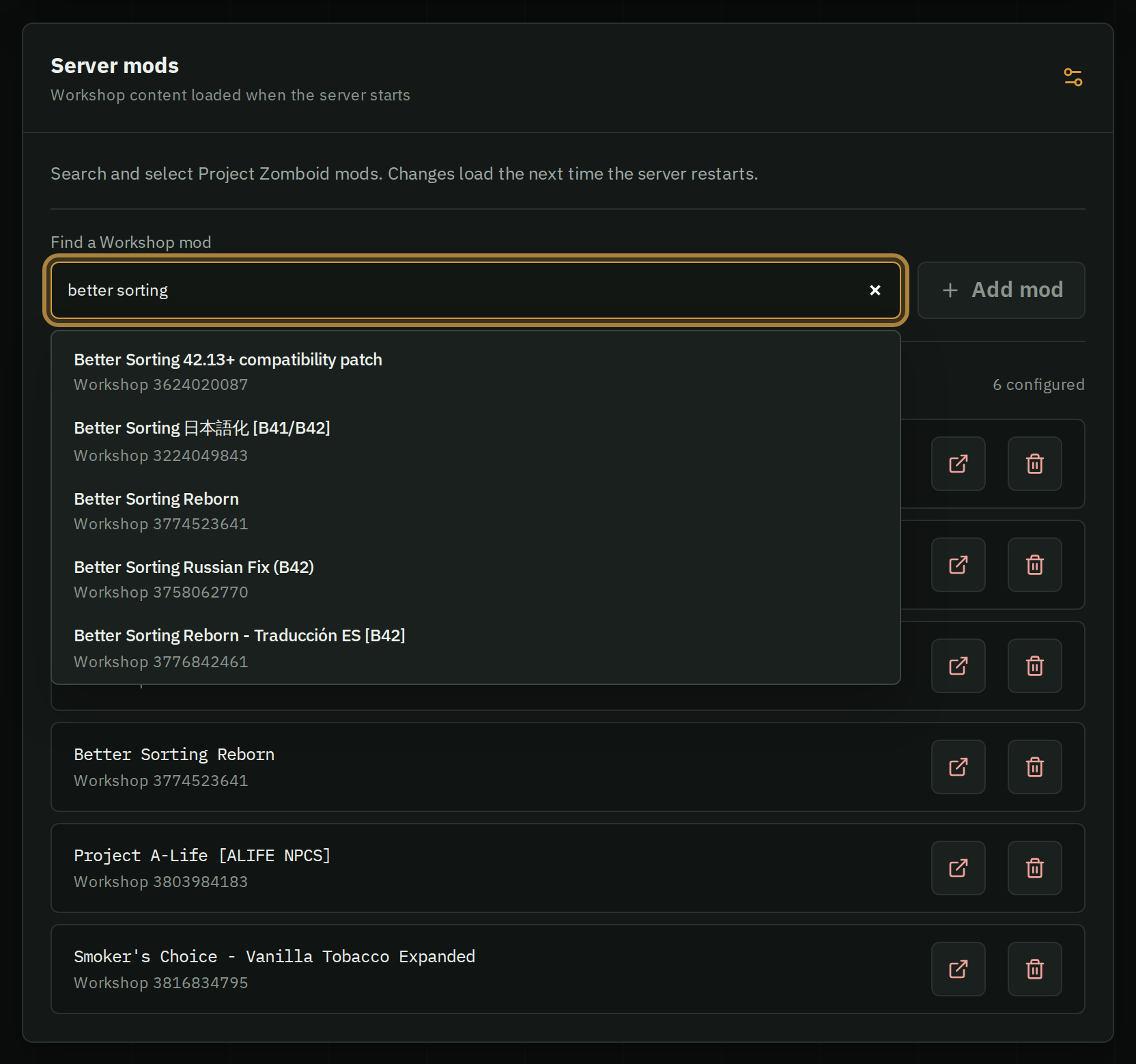
HostForge loads every mod an item contains and never changes Map=: add map folders in Settings › Configuration files.