
Set up and join a DayZ dedicated server
Install the DayZ server with SteamCMD, set serverDZ.cfg, pick a map, open UDP 2302, join with Direct Connect, log in as admin and move a world onto it.
A DayZ dedicated server keeps your group's world running when everyone logs off: the bases, the cars and what is buried in the woods. The server runs on Windows and, natively, on Linux.
1. Install the server
Use SteamCMD. Unlike most game servers, DayZ's (Steam app 223350) only downloads for a Steam account that owns DayZ, so sign in with yours:
steamcmd +force_install_dir /opt/dayz +login your_steam_name +app_update 223350 validate +quit SteamCMD asks for the password and a Steam Guard code the first time. The download is about 5.5 GB. Run the same command again to update the server: with forceSameBuild = 1, the default, players can only join a server on the same version as their game.
2. Set the name and passwords
The server reads serverDZ.cfg in its folder. These lines are the ones to set first:
hostname = "My DayZ server";
password = "";
passwordAdmin = "change-me";
maxPlayers = 10;
steamQueryPort = 2303;
instanceId = 1;

class Missions
{
    class DayZ
    {
        template = "dayzOffline.chernarusplus";
    };
};hostname: the name players see in the server list.password: what players type to join. Leave it empty for an open server.passwordAdmin: players type#loginand this password in the chat to become admin.template: the map. The server shipsdayzOffline.chernarusplus,dayzOffline.enoch(Livonia),dayzOffline.sakhalanddayzOffline.nasdara; players need the Frostline DLC for Sakhal and the Badlands DLC for Nasdara.
The same file sets thirdPersonView, disableCrosshair, disableVoN, serverTimeAcceleration and the other rules, each with a comment saying what it does.
3. Start it
On Linux, from the server folder:
./DayZServer -config=serverDZ.cfg -port=2302 -profiles=profiles -dologs -adminlog -freezecheck On Windows the program is DayZServer_x64.exe with the same options. The server writes its report to profiles/DayZServer_<date>.RPT; players can connect once it says Player connect enabled, which took 30 to 50 seconds in our tests.
Two things stop it on Linux before it gets that far:
- Run it as a user that exists in
/etc/passwd. In a container started with only a user ID, the server crashes at once. - Its folder must be writable by that user. Otherwise it stops with
Can't load init script: scripts/1_Core.
4. Open the ports
Players connect on the UDP game port, 2302 unless you change -port. The server also opens the port two above it, 2304, and answers server-list queries on steamQueryPort. Forward all three over UDP on your router and allow them in your firewall.
BattlEye's remote console is set in battleye/beserver_x64.cfg, with RConPassword and RConPort. BattlEye renames the file once it has read it, so keep a copy. Keep that port closed to the internet.
5. Stop it without losing progress
Stop the server with #shutdown over the remote console or by sending the process SIGTERM (kill, or docker stop). In our tests both wrote the world and logged Termination successfully completed within a few seconds, and the next start restored it. Killing the process outright skips that.
How much memory it needs
DayZ loads the whole map into memory. Before anyone joined, Livonia used about 5.0 GB, Sakhal 5.3 GB, Chernarus 6.1 GB and Nasdara 6.9 GB, and the server kept about one CPU core busy even when empty. The world grows with every base, car and stash, so plan for 8 GB or more.
Where the world is saved
Each map keeps its world inside its mission folder, in mpmissions/dayzOffline.<map>/storage_1/, where 1 is the instanceId: players.db holds the characters and data/ the bases, vehicles and loot. The server keeps its own backups in storage_1/backup/. The mission folder's XML files, such as db/types.xml, set the loot. Bans are kept in ban.txt beside the server program, and whitelist.txt lists who may join while enableWhitelist = 1. To move a world, see moving your world to a server.
Join a DayZ community server
You need the server's address and port, as the host gives them, and its password if it has one. A community server isn't one of the official servers, so you join it by address or find it among the community servers.
Join by address
- Open the DayZ launcher and go to Servers.
- Choose Direct Connect.
- Enter the server's IP address and its game port, 2302 unless the host set another, and the password if it has one.
- Connect. Tick Add to Favorites to find it again.
You can also look the server up by its name in the community server list. A server that just started can take a few minutes to appear there.
Join a modded server
A modded server needs the same mods on your game. Join it from the launcher, which lists the server's mods and offers to subscribe to the ones you lack; Steam downloads them before you can play. If a mod just updated, let Steam finish updating it first.
Become admin
Once in the game, open the chat and type #login followed by the server's admin password (passwordAdmin in serverDZ.cfg). The server's owner can also kick, message and lock the server from BattlEye's remote console without joining.
If you can't join
- Wrong version. Most servers only take players on the same game version (
forceSameBuild = 1). After a DayZ update, the server must update too; experimental servers need the experimental game. - Missing DLC. Every player needs the Frostline DLC to join a Sakhal server and the Badlands DLC for Nasdara.
- Not in the list. Join by address instead, and check with the host that the server is running and that its ports are open.
- Banned. The host lifts a ban by deleting your Steam ID from
ban.txt.
On HostForge
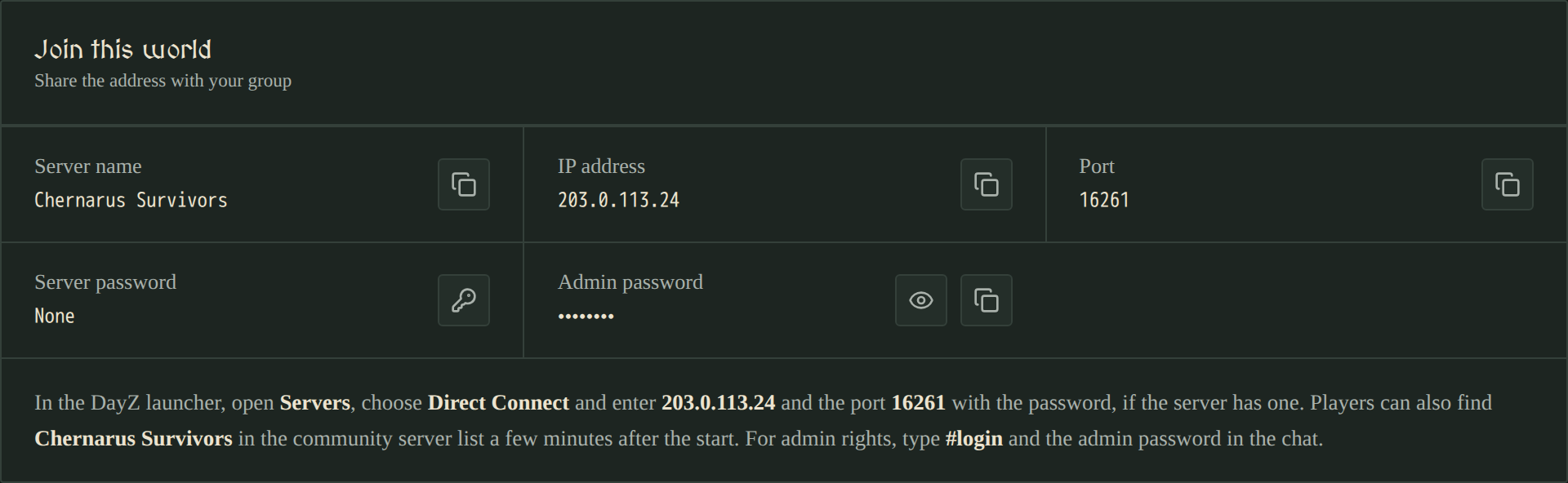
The Overview tab shows the address, port and password to share, and the admin password to type after #login. The server is kept on the current game version, and its ports are open.
Move your DayZ world to a server
Moving a DayZ world means copying one folder, the map's storage_1, from the old server to the new one. Characters, bases, cars and stashes come with it.
1. Find the world
On a dedicated server, each map keeps its world inside its mission folder: mpmissions/dayzOffline.chernarusplus/storage_1/ for Chernarus, or dayzOffline.enoch, dayzOffline.sakhal or dayzOffline.nasdara for the other maps. The number is the server's instanceId, so a server with another one keeps storage_2 and so on. Stop the server first, so the files are current.
2. Copy the right files
players.db: every character, with what they carry.- The
datafolder: bases, vehicles, tents and the loot on the map. - Leave out
backup: those are the old server's own backups.
If you changed the loot or events in the mission's XML files, such as db/types.xml, copy the whole dayzOffline.<map> folder instead. The map must match: a Chernarus world only loads on a server running Chernarus.
3. Put it on the new server
With the new server stopped, replace its storage_1 folder, in the same map's mission folder, with yours, then start it. Its report then shows Restoring file lines for the world it loaded.
On HostForge
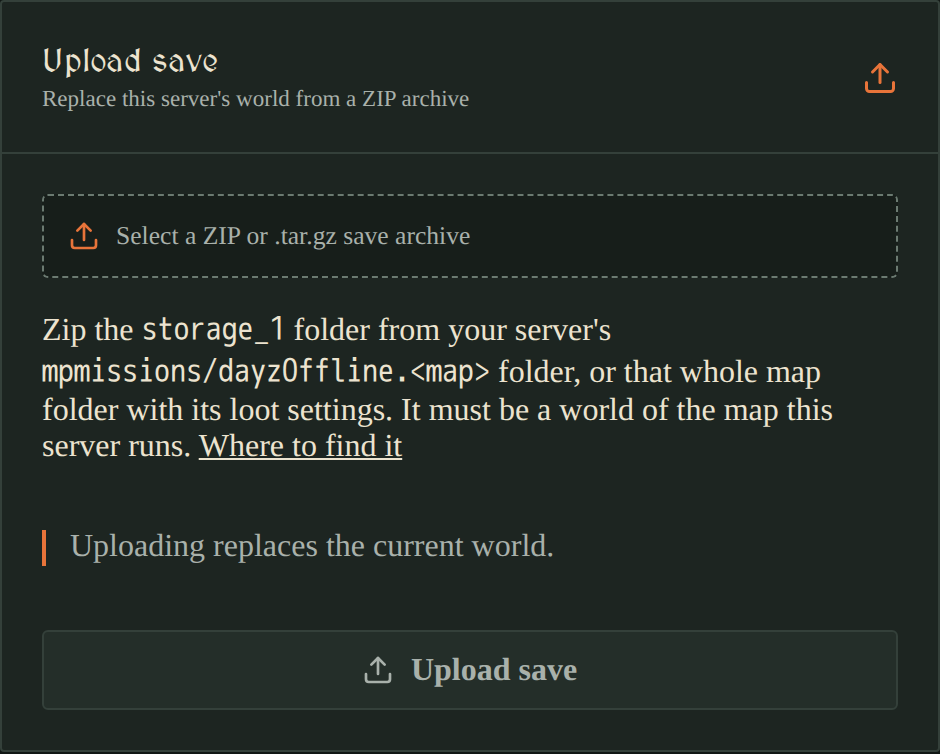
Choose the same map in your server's Settings, stop the server, then open Save and upload a ZIP of the storage_1 folder or of the whole map folder, or a .tar.gz backup from another host. HostForge installs the world, leaves out the old server's backups, and tells you if the world is of another map. You can download the world as a ZIP at any time.
Skip the setup
HostForge runs the server for you, with no Steam account of yours needed for the download: pick a region, a map and your rules, and it writes serverDZ.cfg and BattlEye's config, opens the ports, saves the world before every stop, keeps the server on the current game version and backs the world up daily. Your edits to serverDZ.cfg, ban.txt and whitelist.txt stay under Configuration files, and the Console tab runs BattlEye commands.
Players join as described in joining a DayZ server.