Join an Enshrouded server by IP address
How to join an Enshrouded dedicated server with its IP address and port, which password to use, and what to do about a version mismatch or a timeout.
You need the server's IP address, its port (the queryPort, 15637 unless the host changed it) and a password.
Join by IP
- In Enshrouded, choose Play, then Join.
- Choose Search by IPv4 / Domain.
- Enter the address as
IP:port, for example203.0.113.24:15637. - Enter the password the host gave you.
The password decides what you can do on the server, from admin to guest. See passwords and roles.
Other ways in
- Server list: in Join, turn on the filter to show dedicated servers and search for the name. Star a server to keep it at the top.
- Steam favorites: in Steam, open View › Game Servers › Favorites, select + and enter
IP:port. Favorites show at the top of the game's list.
If you can't join
- Version mismatch: your game and the server must be on the same version. Update the game, or ask the host to update and restart the server.
- Wrong password: passwords are case-sensitive, and each role has its own.
- Server full: some slots may be kept for one role, so a server can look full for guests before it is.
- Nothing happens or it times out: the port is not open. The host has to allow UDP 15637 (or their port) through the firewall and router. The server only uses IPv4.
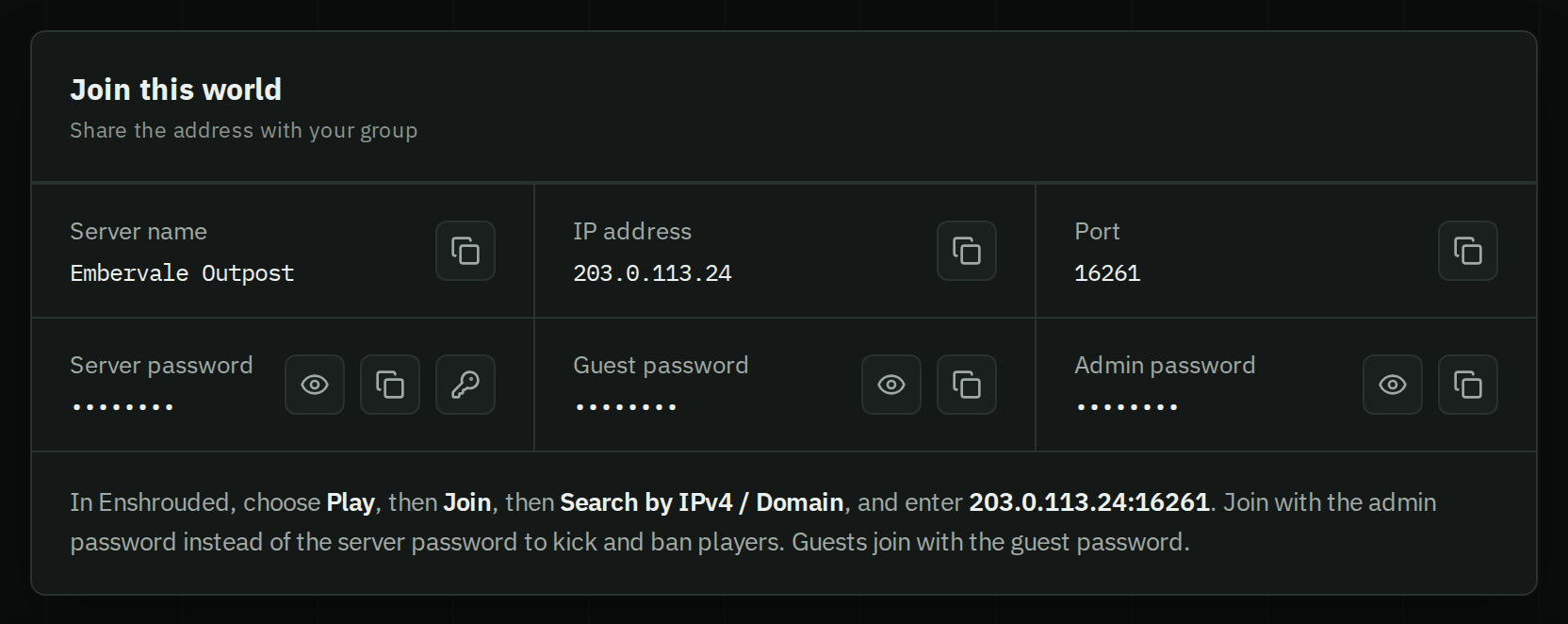
Everything players need on one card
A HostForge server page shows the name, IP address, port and password to copy, and the join steps with your address filled in. Share the page and your group has everything.